
MelodyCalc1.1 - App Store
You'll be able to see results in few seconds.
Publisher Description
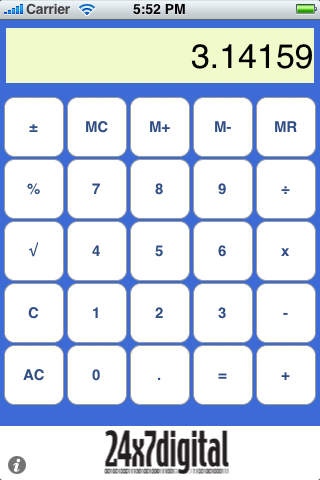
Encourage your youngster (or those young-at-heart) to fiddle with numbers on this musical calculator. Each digit plays a different note and calculation results play their corresponding tones. Inspired by the original Casio ML-840 melody calculator which all the kids used to fight over, MelodyCalc is a handy calculator with all the basic functions and big buttons for little fingers.
MelodyCalc can play notes using one of seven instruments: 12 String Chords, Grand Piano, Orchestral Strings, Toy Organ, Trumpet Section, Tula Bass, and Vibraphone!
Hate math? Just use the keys to play some songs!
Jingle Bells: 333 333 35123
Twinkle Twinkle: 1155665 4433221
Mary Had a Little Lamb: 3212333 222 355
Row Your Boat: 1 1 123 32345
The Saints Go Marching In: 1345 1345 13453132
Baa Baa Black Sheep: 11 55 66665
TRY ALL OF OUR APPS: 123's, ABC's, Aw Craps!, ColorTalk, MiniVLTone, MelodyCalc, SightWords Free, Smiley Sight Words, States&Capitals, TeachMe: Toddler, TeachMe: Kindergarten, TeachMe: 1st Grade, TimesTables, and WordFamiles.
CONTACT US: Please do not hesitate to contact us at support@24x7digital.com or visit http://www.24x7digital.com
Requires iOS 2.0 or later. Compatible with iPhone, iPad, and iPod touch.
About MelodyCalc
The company that develops MelodyCalc is 24x7digital LLC. The latest version released by its developer is 1.1.
To install MelodyCalc on your iOS device, just click the green Continue To App button above to start the installation process. The app is listed on our website since 2008-12-20 and was downloaded 0 times. We have already checked if the download link is safe, however for your own protection we recommend that you scan the downloaded app with your antivirus. Your antivirus may detect the MelodyCalc as malware if the download link is broken.
How to install MelodyCalc on your iOS device:
- Click on the Continue To App button on our website. This will redirect you to the App Store.
- Once the MelodyCalc is shown in the iTunes listing of your iOS device, you can start its download and installation. Tap on the GET button to the right of the app to start downloading it.
- If you are not logged-in the iOS appstore app, you'll be prompted for your your Apple ID and/or password.
- After MelodyCalc is downloaded, you'll see an INSTALL button to the right. Tap on it to start the actual installation of the iOS app.
- Once installation is finished you can tap on the OPEN button to start it. Its icon will also be added to your device home screen.
Program Details
System requirements
Download information
Pricing
Version History
version 1.1
posted on 2008-12-20
Disclaimer
Official App Store Link
We do not host MelodyCalc on our servers. We did not scan it for viruses, adware, spyware or other type of malware. This app is hosted by Apple and passed their terms and conditions to be listed there. We recommend caution when installing it.
The App Store link for MelodyCalc is provided to you by apps112.com without any warranties, representations or guarantees of any kind, so access it at your own risk.
If you have questions regarding this particular app contact the publisher directly. For questions about the functionalities of apps112.com contact us.
